手册 v0.1.0 · KaiderBooks v2.0.0 · 2026-08-02
Step 6 · Tuition income and receipts
In one sentence
The money-in side mirrors the money-out side: create the student (customer) → raise an invoice → record the receipt when the money lands. Whatever sits in between is your receivables.
1. Create students / customers
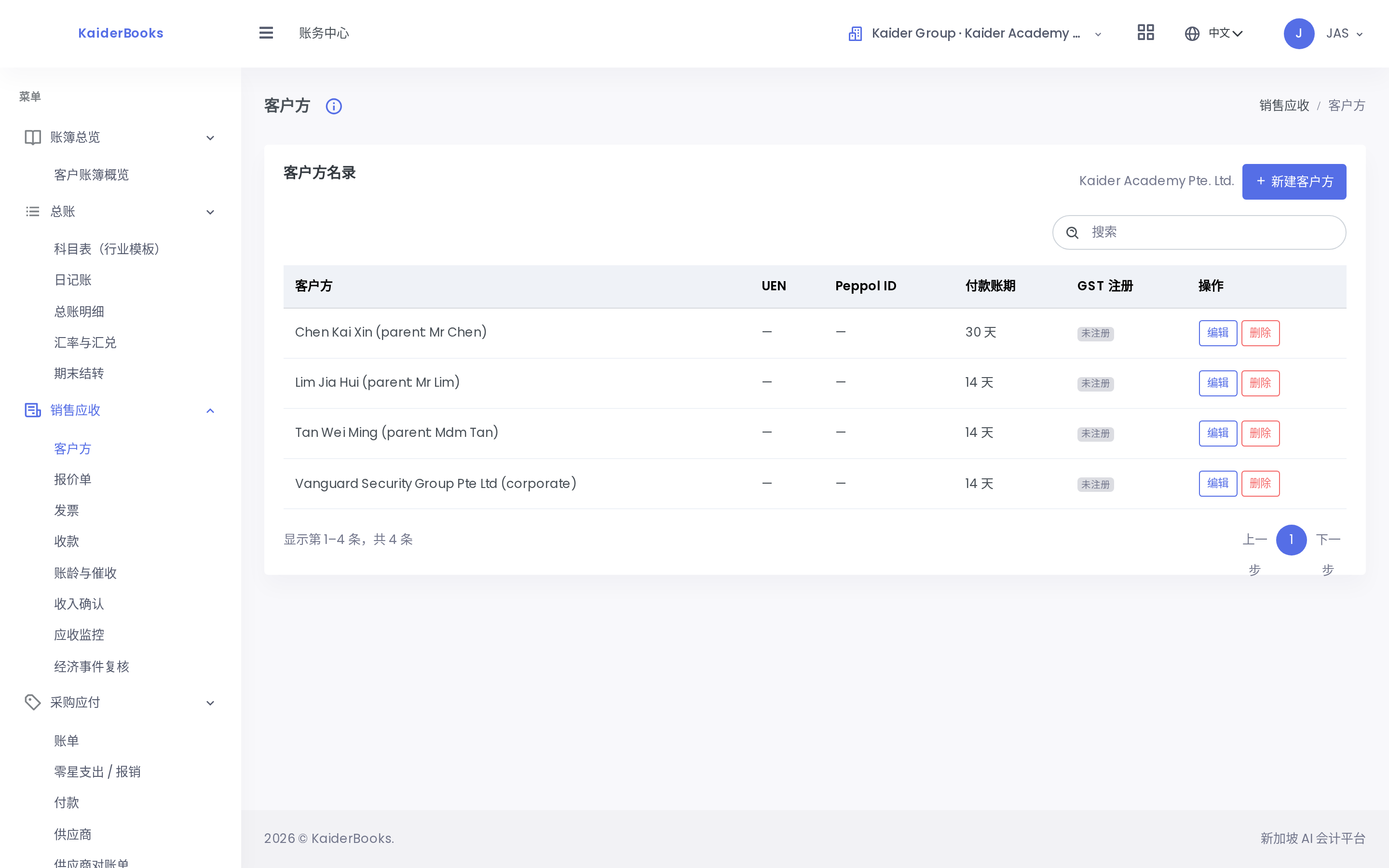
Books → Sales (AR) → Customers → New
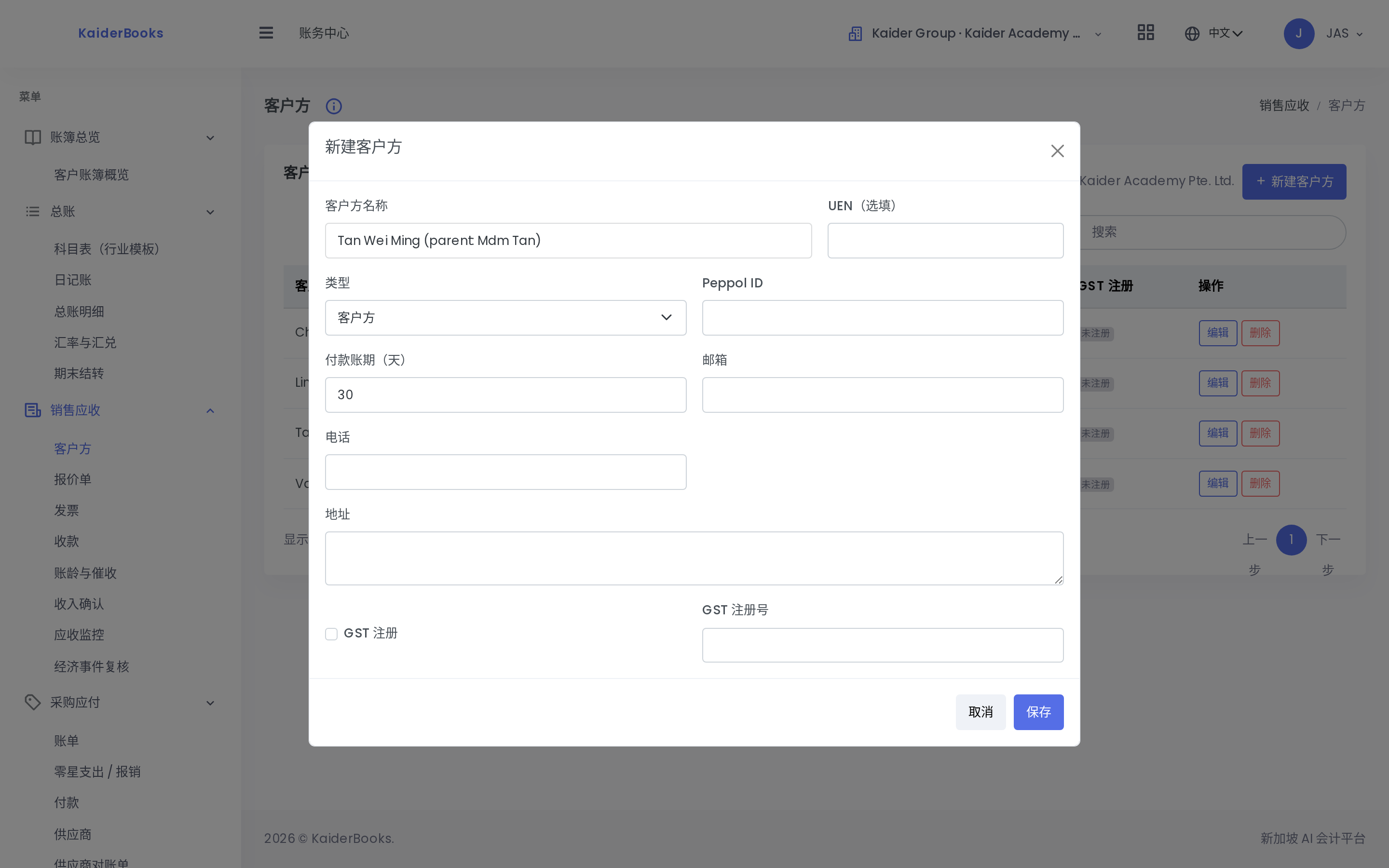
Two kinds, both created in the same place:
| Kind | How to name it |
|---|---|
| Individual student | "Student name (parent: …)" — makes chasing payment easier |
| Corporate training client | Full company name + UEN |
2. Raise the invoice
1
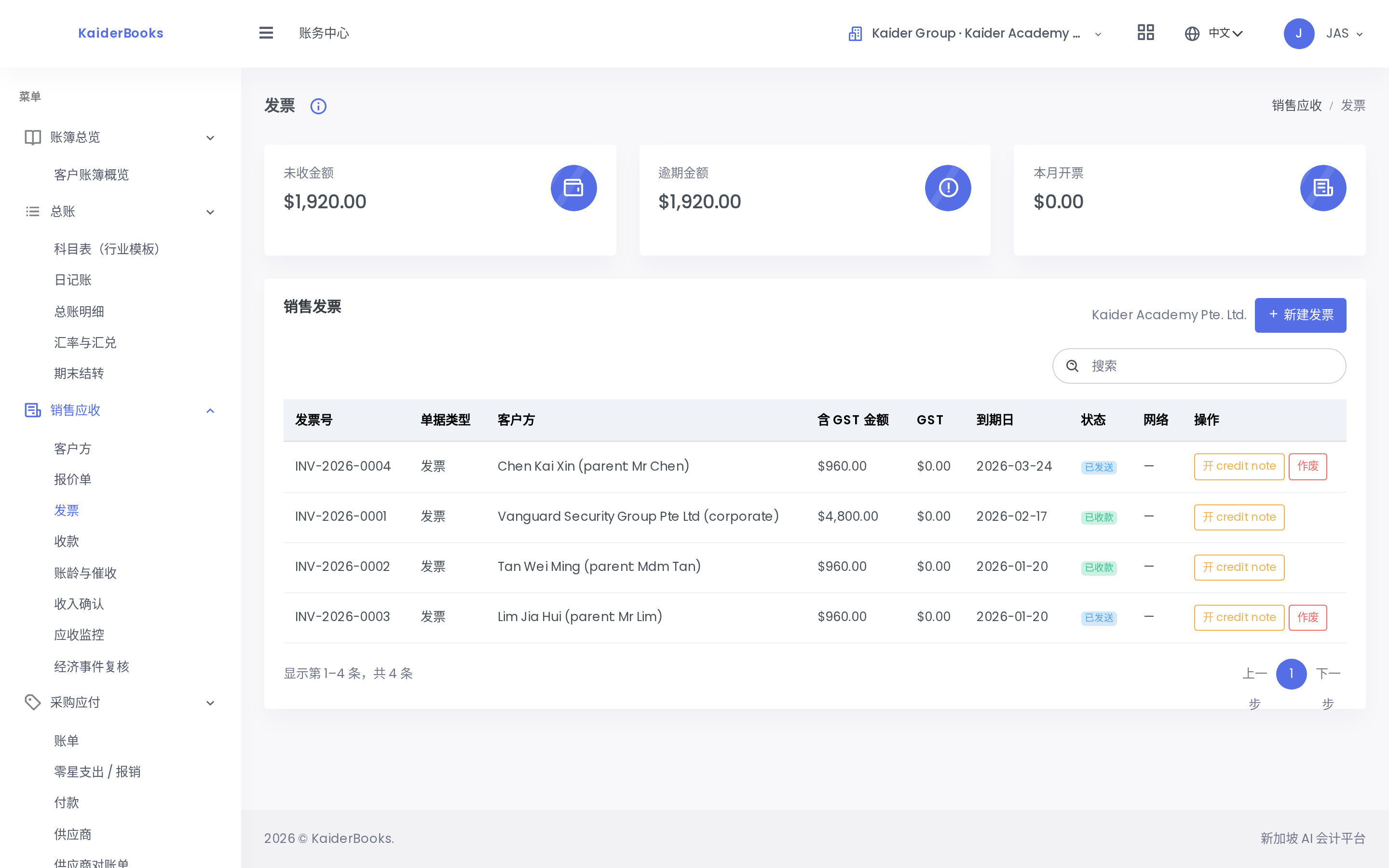
Raise a tuition invoice from here
Books → Sales (AR) → Invoices → New Invoice
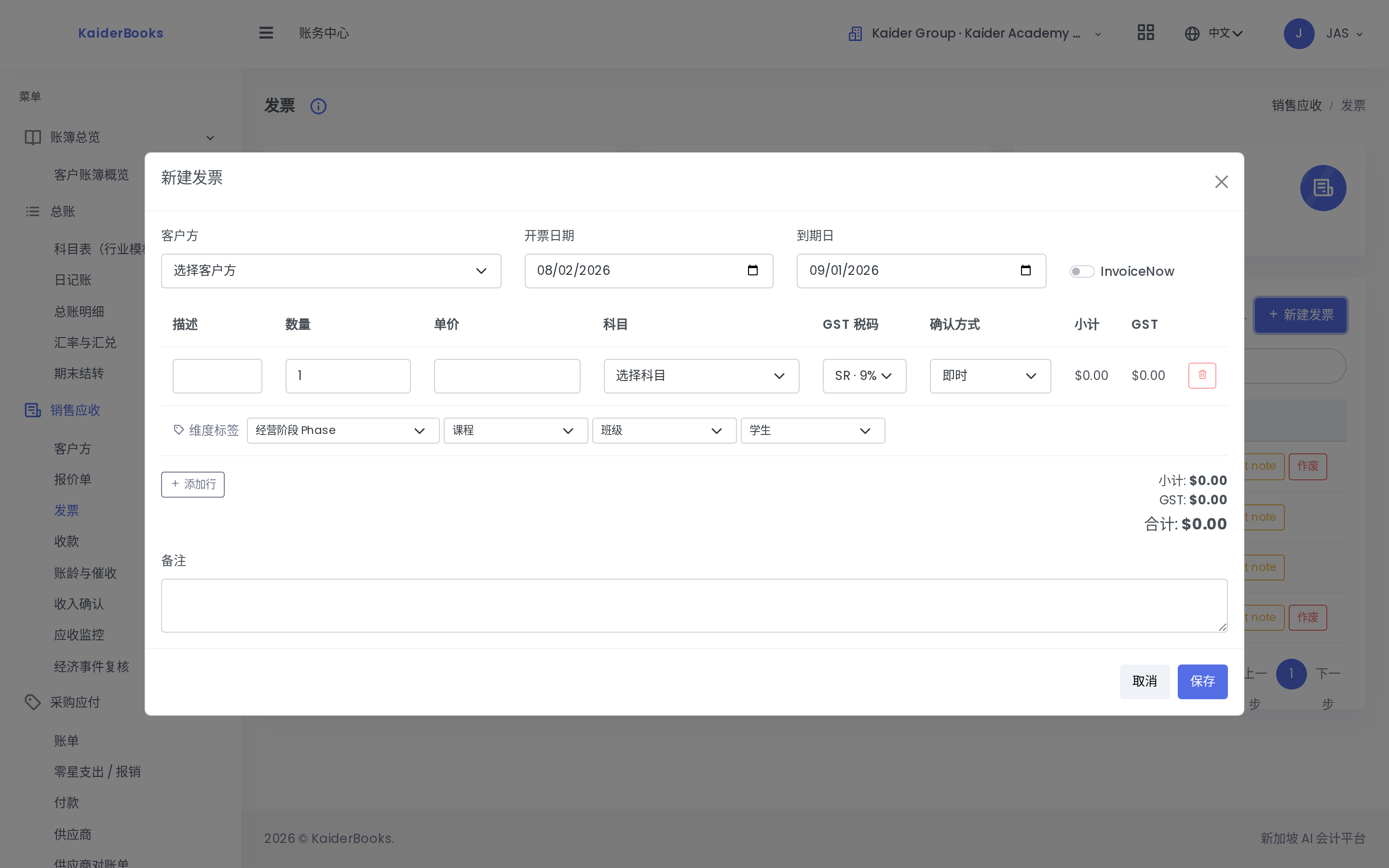
| Field | What to enter |
|---|---|
| Customer | The student or company |
| Issue date | The date you raise it |
| Due date | Agreed payment terms |
| Lines | State course + term + number of sessions, e.g. "2026 Q1 tuition (12 sessions)" |
| Account | Individual tuition → 4150; corporate training → 4100 |
| GST code | Academy isn't GST-registered → ES |
New invoices are Drafts. Once checked, press Send & Post on that row. A confirmation appears:
Send and Post Invoice — This assigns the final invoice number and posts the accounting journal. Continue?
⚠️ You must press "Send & Post" inside the dialog.
On success the number changes from DRAFT to a real one (e.g. INV-2026-0004) and the status becomes Sent.
The InvoiceNow checkbox on the form
That's Singapore's e-invoicing network (Peppol). The Academy doesn't use it yet — leave it unticked. Ask John before enabling.
The prepaid-tuition trap
If a parent pays a full year up front, you cannot book it all as this month's income — the un-taught lessons are a service you still owe, i.e. deferred income (2250).
The system can spread it monthly, but John has to set the policy first.
Until he does, don't enter full-year prepayments — set them aside and ask him. These amounts are usually large, and fixing them means reversing and re-entering.
3. Receipts
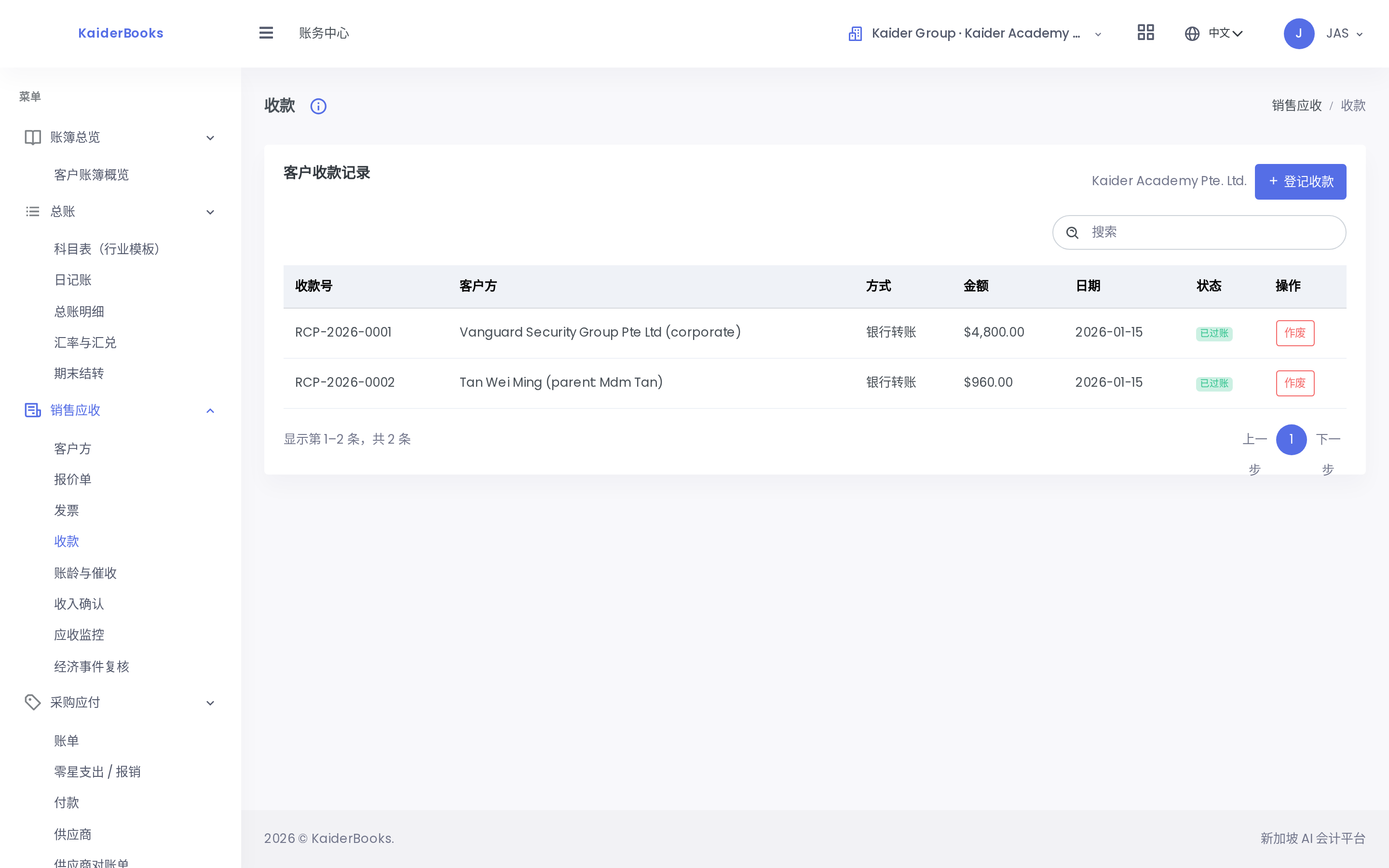
Books → Sales (AR) → Receipts → New
1
Record the receipt here once the money lands
| Field | What to enter |
|---|---|
| Customer | Who paid |
| Receipt date | The day the money landed (per the bank, not the day the parent says they sent it) |
| Method | payNow / transfer / cheque |
| Bank account | DBS Current Account |
| Reference | The bank reference |
| Allocation | Which invoice this settles |
4. Who hasn't paid
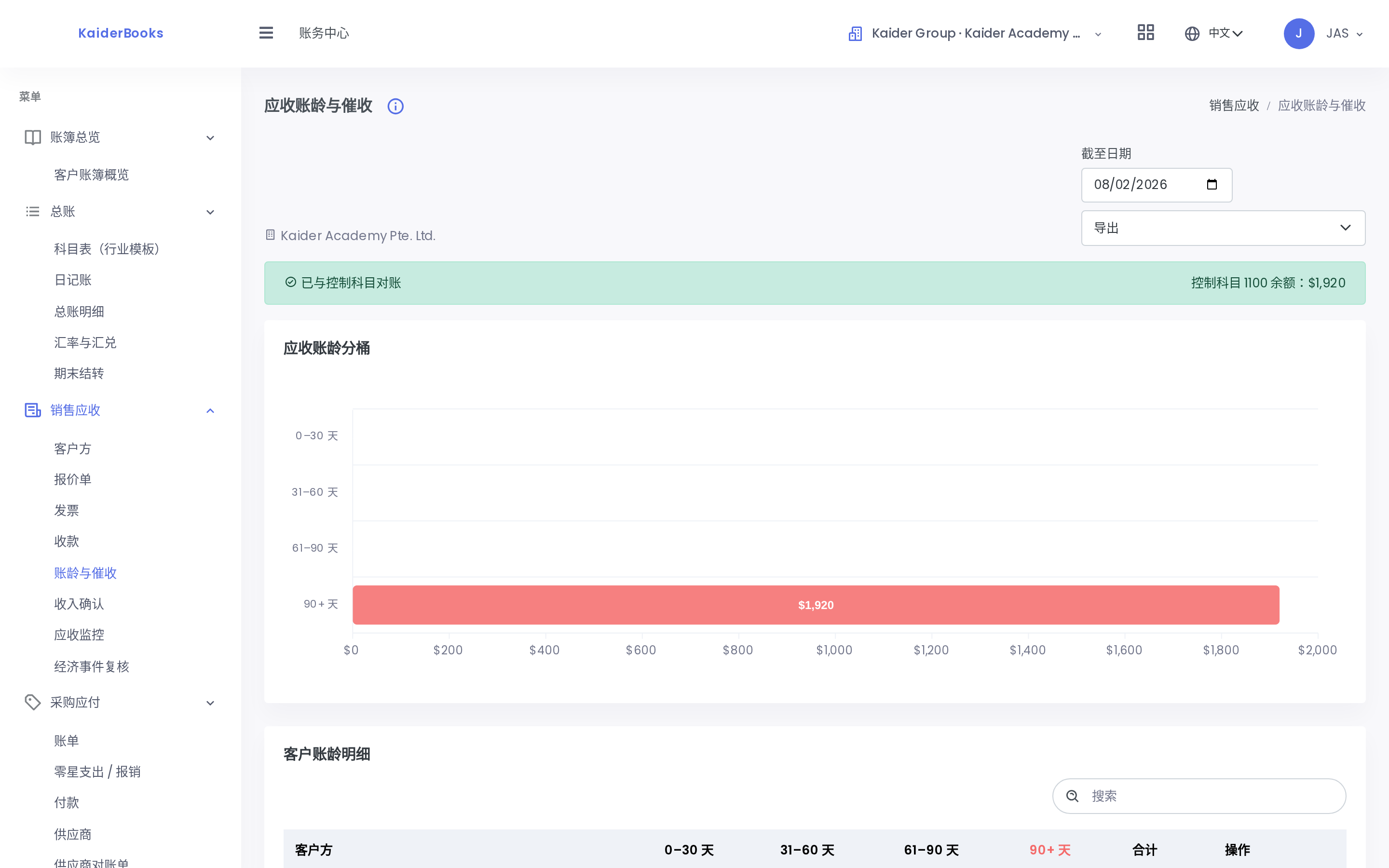
Books → Sales (AR) → Aging — every unpaid amount, by student and by how overdue.
This is your chase list. Worth a look every week.
5. Common mistakes
| Mistake | Consequence |
|---|---|
| Booking cash as income without an invoice | Receivables never reconcile; you can't tell who owes what |
| Forgetting to Send, leaving drafts | The income isn't on the books |
| Using the date the parent claims they transferred | Won't match the bank; month-end becomes a manual hunt |
| Booking a full year's prepaid tuition as this month's income | Income overstated — see the warning above |