手册 v0.1.0 · KaiderBooks v2.0.0 · 2026-08-02
Step 4 · Petty expenses (the ones with no invoice)
In one sentence
Stationery, a laptop the boss paid for himself, a renovation balance with no proper invoice — all of it goes on this one page. One screen, and the system does the bookkeeping for you.
1. When to use this page
| Situation | This page? |
|---|---|
| The boss paid for a laptop out of his own pocket | ✅ Yes |
| Stationery, you only have a till receipt | ✅ Yes |
| Renovation balance, no proper invoice | ✅ Yes |
| Staff paid for a taxi and claims it back | ✅ Yes |
| A supplier issued a proper invoice (letterhead, UEN) | ❌ No — use Step 5 |
| Salaries | ❌ No — use Step 7 |
Rule of thumb: proper invoice → Bills. Till receipt or nothing → this page.
2. The page
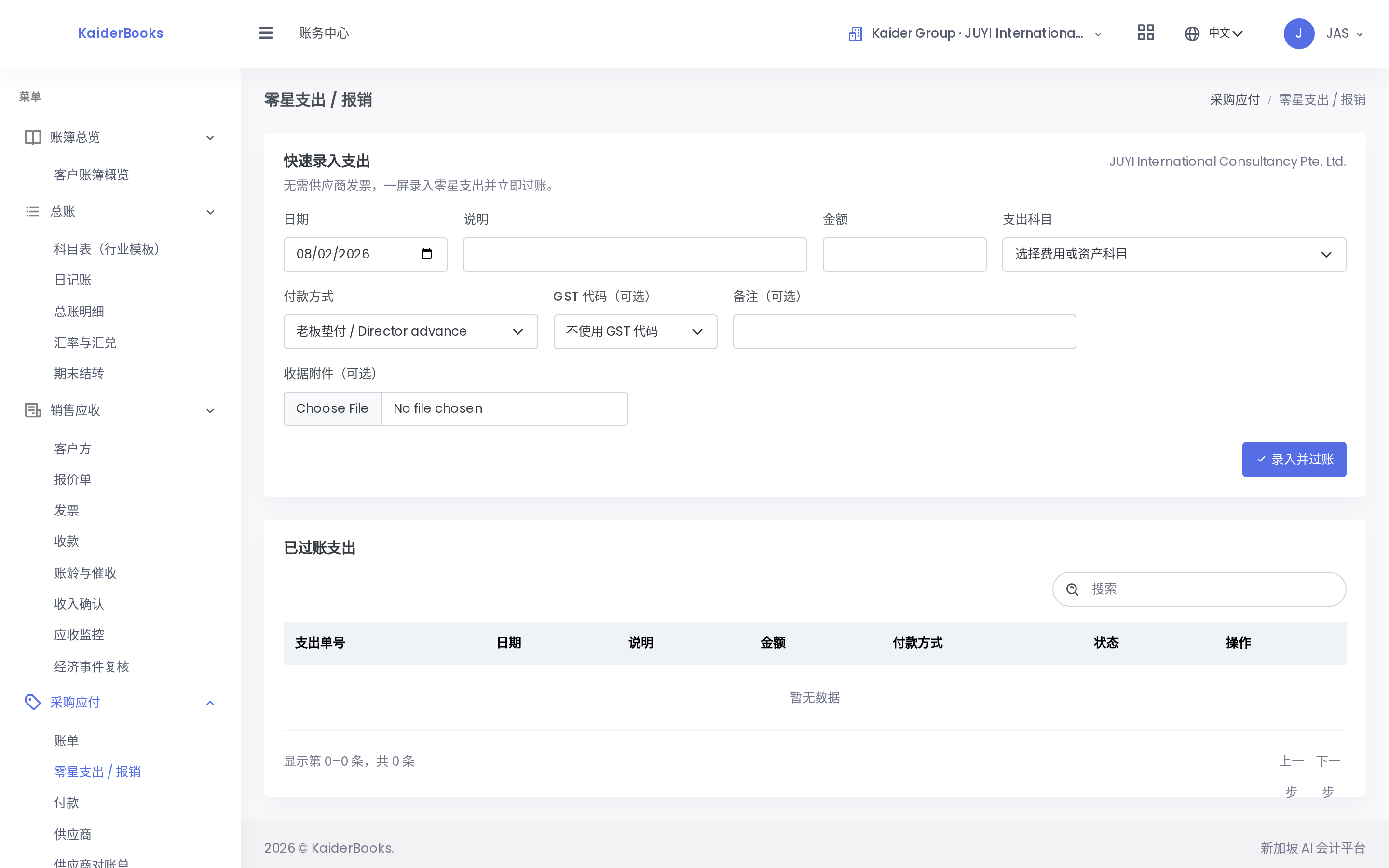
Entry form on top, everything already recorded below.
3. Filling it in
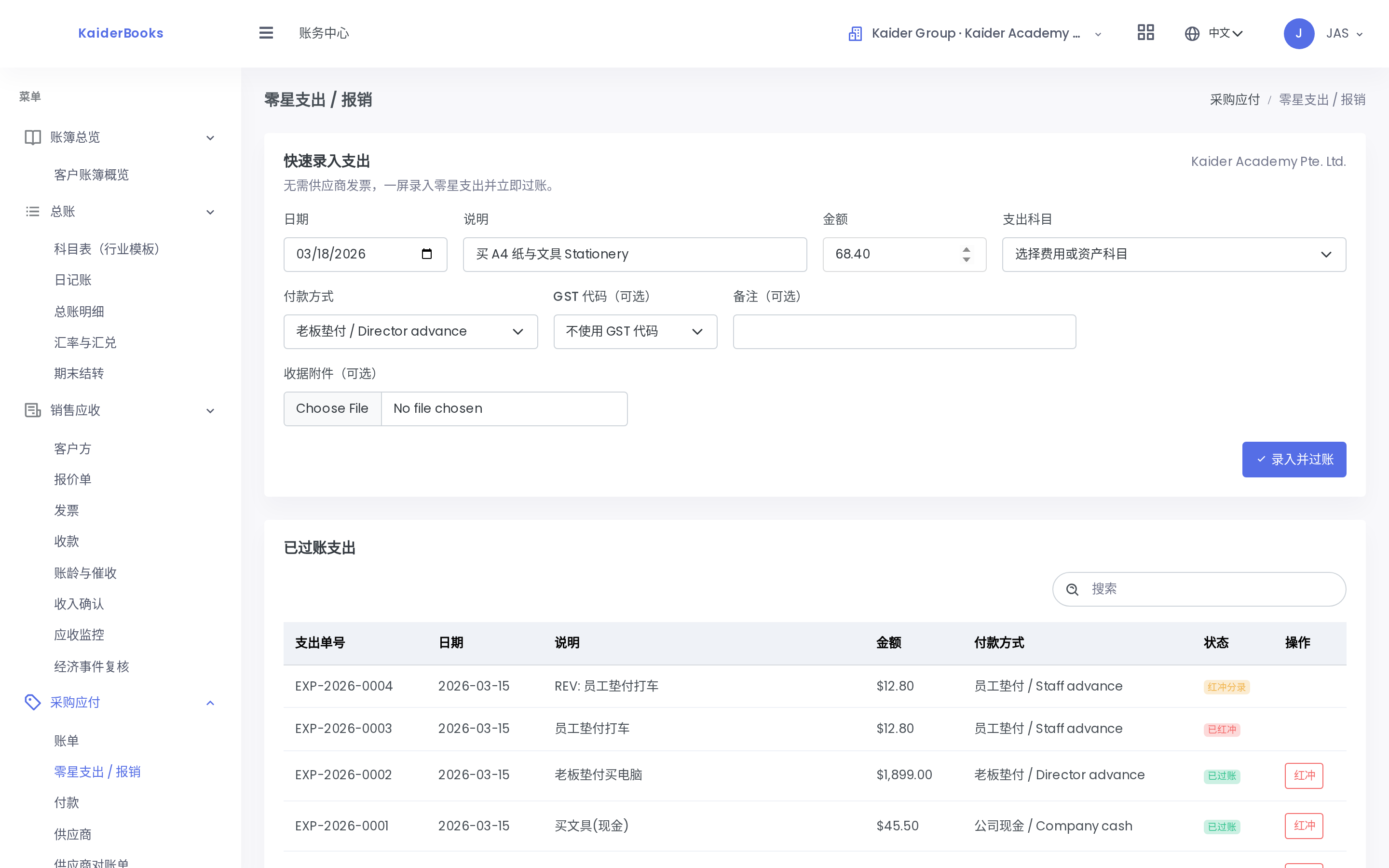
1
The date you spent it — not today
2
Say what it was — this is what you'll read later
3
Amount in dollars (68.40)
4
Pick the account — laptops go to an asset account
5
Who paid? This drives the double entry
| Field | What to enter | Watch out |
|---|---|---|
| Date | The date the money was spent | ⚠️ Not today. Catching up on a three-month-old receipt? Use that date. |
| Description | What it was, specifically | You'll be reading this in six months. "Sundry" tells you nothing. |
| Amount | Dollars, e.g. 68.40 | No need for cents fields |
| Account | See Step 3 | ⚠️ Laptops / TVs / renovation go to asset accounts (14xx), not expenses |
| Paid by | Four options, see below | 🔴 The critical one |
| GST code | The Academy isn't GST-registered — pick NG | See below |
| Note | Optional | |
| Receipt | Photograph the slip and attach it | Strongly recommended — saves pain at audit |
4. 🔴 "Paid by" — this one decides the bookkeeping
The most important field on the page. It tells the system where the money came from:
| You pick | Meaning | System records |
|---|---|---|
| Company bank | Paid from the company DBS account | Bank balance goes down |
| Company cash | Taken from the office cash box | Cash goes down |
| Director advance | The boss paid personally | The company now owes the boss (2600 Due to director) |
| Staff advance | Staff paid, claiming it back | The company owes the staff member (2610) |
Why "director advance" isn't a cash payment
When the boss pays personally, the company's cash and bank are untouched — but the company now owes him.
That debt only becomes a real cash outflow when he takes the money back. Get this wrong and your cash balance stops matching the bank.
This trips up most beginners, and it's the normal case during the Academy's setup period — the company account may not even have existed yet, so almost everything was advanced by the boss.
Picking Company bank reveals an extra Bank account dropdown — choose DBS Current Account.
5. GST code: pick NG
The Academy is not GST-registered, so:
- GST charged by suppliers cannot be reclaimed — it's simply part of the cost
- Always pick
NG(No GST — not registered, input tax absorbed into cost) - Enter the total you actually paid, GST included
Don't pick TX
TX means "reclaimable input tax". Pick it and the system books 9% input GST that the Academy cannot actually claim — the books go wrong. Use NG.
If the Academy registers for GST later, this rule changes and this manual will be updated.
6. After you press "Post expense"
The system books it immediately and it appears in the list below.
Example: the boss advances $1,899 for a laptop
| What the system books | |
|---|---|
Dr 1410 Computers & IT equipment | $1,899.00 |
Cr 2600 Due to director | $1,899.00 |
In plain words: the company gained a $1,899 laptop and now owes the boss $1,899.
7. If you get it wrong
Posted entries cannot be deleted or edited
This is a hard rule of accounting systems, not the software being awkward — books that can be quietly edited are books an auditor won't accept.
Press Reverse on that row. The system creates an equal and opposite entry that cancels it out. Then enter the correct one.
You end up with three records (wrong, reversal, right). That is normal and correct — the audit trail is supposed to show what changed.
So: check the amount and the company name before you press Post.
8. Tag setup-period costs
Costs from before the Academy opened are worth being able to total separately (for tax and for management).
If you see a Phase option, pick Pre-opening for setup-period costs and Operating afterwards.
Not sure which side something falls on: use the first day of classes as the cut-off.